
Making Workspace Navigation Fast, Clear, and Trustworthy in Postman
How I reframed a “delete workspace” request into a deeper recognition and relevance problem, leading to starring, peek, and more predictable navigation.

<insert table of contents here>
Snapshot
Postman users switch workspaces multiple times a day, yet the experience had turned into guesswork. Similar workspace names, an unpredictable switcher, and irrelevant entries made a basic action feel heavier than it should. A GitHub thread full of blunt feedback made this impossible to ignore: users wanted more control, and many asked for the ability to delete workspaces from the list.
As the lead designer, I reframed the problem. The real issue wasn’t clutter. It was relevance and recognition. Users couldn’t reliably tell which workspace was which, and the system wasn’t surfacing the ones that mattered.
I led the redesign around three pillars: starring for control, peek for recognition, and improved sorting for predictability. Behind the scenes, this required untangling metadata gaps, aligning on a shared activity signal, revisiting old logic, and using AI-led prototyping to validate ideas quickly and help engineering begin work earlier.
The result is a workspace navigation flow that matches how people actually work: fast, clear, contextual, and trustworthy. And because workspaces appear everywhere across the product, the improvements ripple across Postman.
The Core Problem
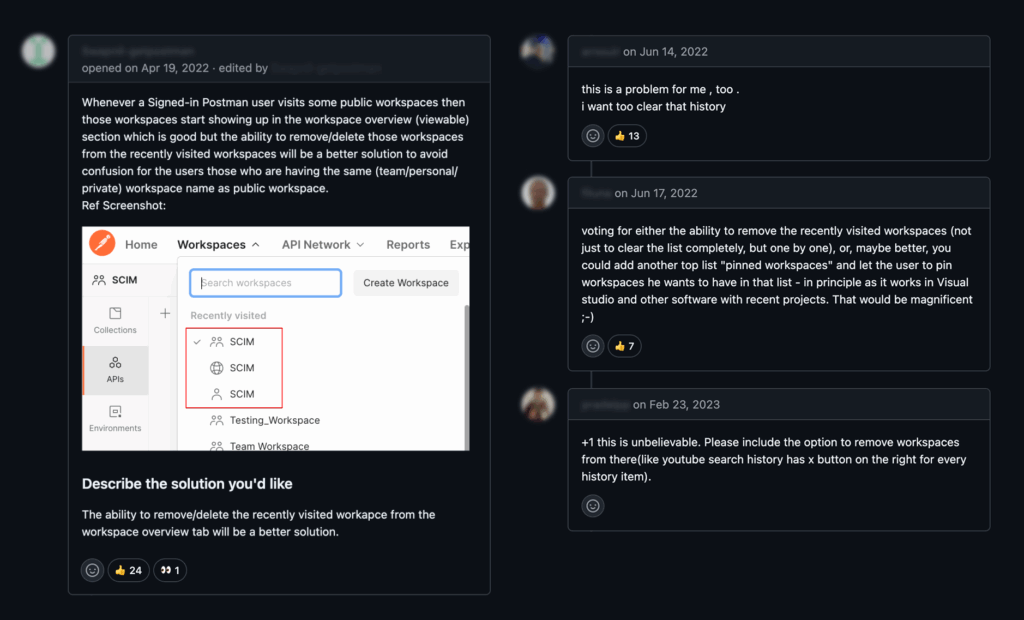
A highly upvoted GitHub thread pushed this issue to the top of the backlog. Developers didn’t hold back:
- “My switcher is full of workspaces I never needed.”
- “I visited a workspace once by accident and now it is stuck there forever.”
- “The names don’t help at all. I keep opening the wrong one.”
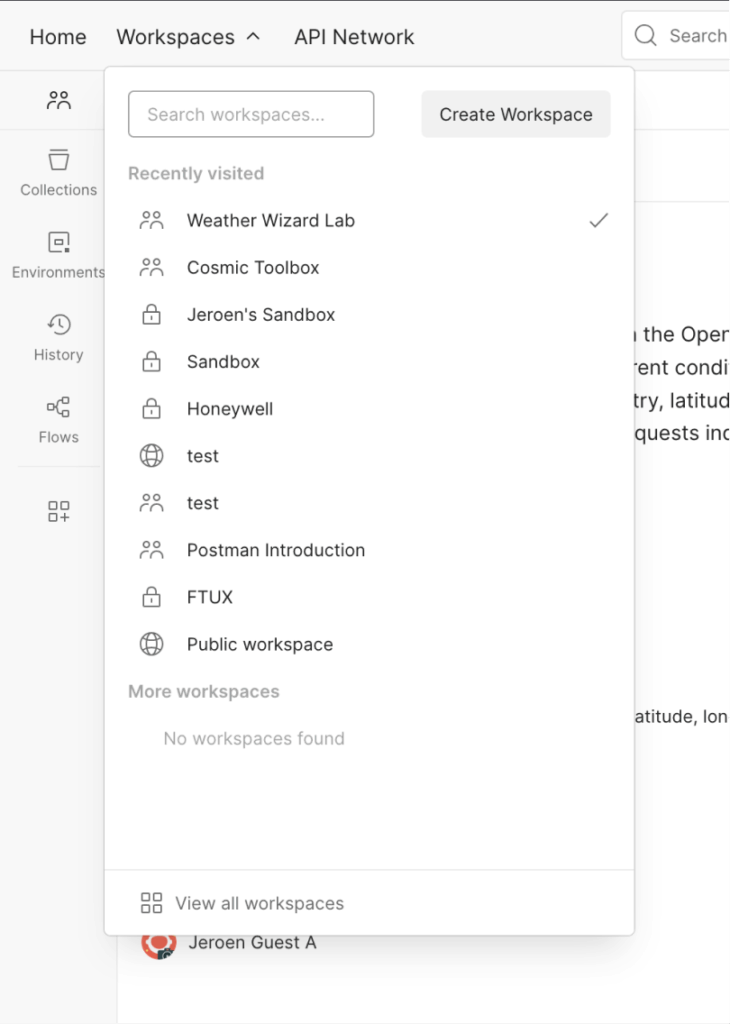
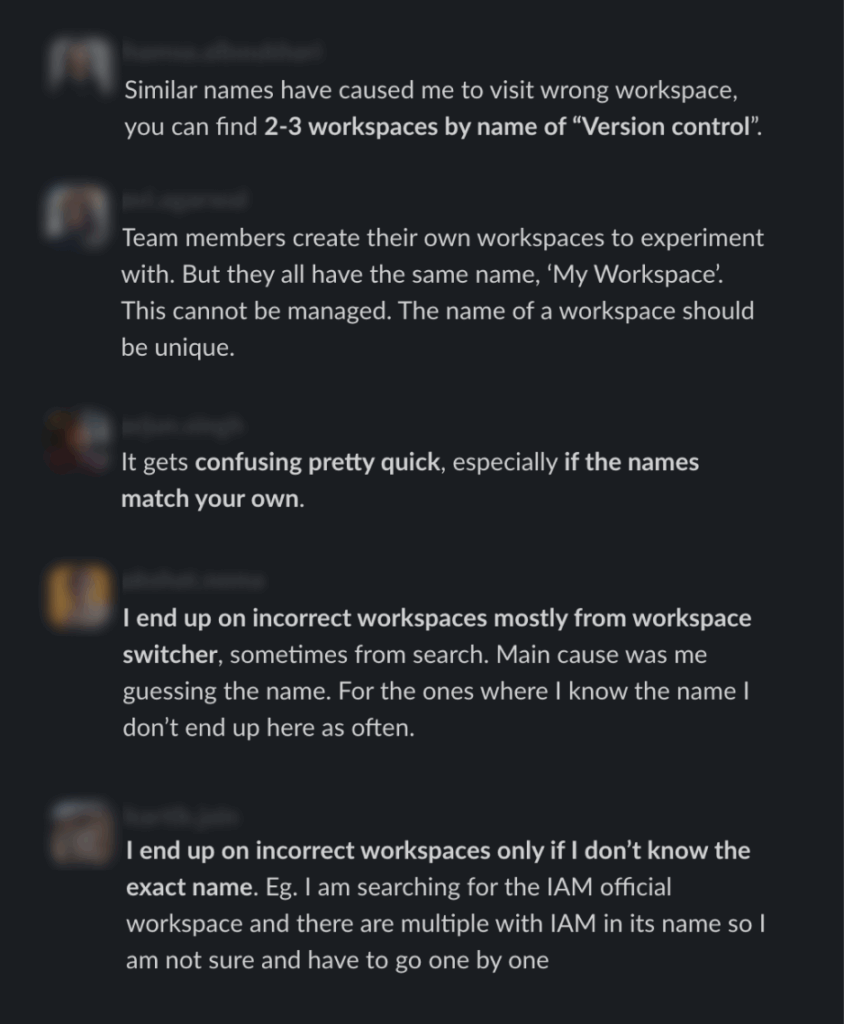
Many asked for a delete button. But once we looked deeper through interviews and usage patterns, it became clear that deletion was only a symptom of something bigger. The switcher wasn’t aligned with the workspaces people actually depended on, and workspace names alone weren’t enough to recognize anything. Teams often reused the same names or used vague labels, so users ended up guessing their way through navigation multiple times a day.
Users needed clarity, not cleanup tools
People weren’t asking for deletion because they wanted to curate lists. They were asking because the system wasn’t helping them. Once that clicked, the underlying issue came into focus: the real problem was relevance and recognition, not cleanup.
The Solution
We rebuilt workspace navigation around clarity and user control.
Starring for relevance
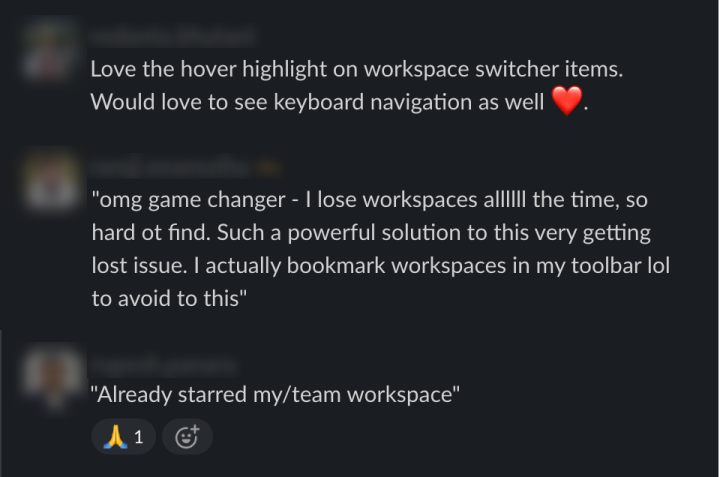
Starring gives users a simple way to elevate the workspaces they rely on most. Starred workspaces now appear first in the switcher and receive priority in search and forking flows.
Peek for recognition
To address ambiguous naming, we introduced peek. Peek appears on hover anywhere a workspace name is shown and includes essential context:
- quick actions like starring or copy link
- summary when available
- owner
- last activity
- workspace ID
Peek turns “Is this the right workspace?” into a quick, confident check instead of trial and error.
Together, starring, peek, and improved ordering replaced daily guesswork with a faster, more trustworthy navigation experience.
Improved ordering
We revisited the earlier logic that leaned too heavily on recency and shifted toward relevance and ownership. The result is a list that feels far more predictable and aligned with how people actually work.
Together, starring, peek, and improved ordering replaced daily guesswork with a faster, more trustworthy navigation experience.
How We Worked: AI Accelerated and Prototype Led
AI shaped how this project came together. We started with an interactive prototype built in Cursor and Lovable that included the new switcher, starring, deletion, and peek. Seeing these flows in context helped us validate what worked, what didn’t, and what technical challenges we would face.
Engineering began drafting implementation details before final designs existed. Product leaders aligned faster because they could interact with real flows instead of imagining them.
Keeping momentum high
As the deadline approached, I used Cursor to handle some light UI polish directly in code. This let engineering focus on the more complex work like full end-to-end testing, edge cases, and the activity signal alignment. It was a small contribution that kept momentum high and helped us ship a cleaner experience on time.
This AI-supported workflow has become my new default. It speeds up exploration, de-risks decisions, and keeps teams aligned.
Key Decisions
Decision 1
Do not build a delete function. Solve relevance instead
The loudest user request was deletion. But removing items from an unreliable list doesn’t make the list better. Starring and peek solved the underlying issue and removed the need for manual cleanup entirely.
Decision 2
Choose “last activity” instead of “last updated”
Early interviews pointed toward last updated, but deeper conversations showed the nuance. Most users judge relevance by usage, not edits. Activity became the stronger signal. I initially leaned toward last updated, but after revisiting users with more focused questions, I realized I was wrong and shifted direction. Engineering was building an activity endpoint in parallel, so we aligned around that and ensured it captured the necessary signals.
Decision 3
Sort starred workspaces alphabetically
The backend surfaced starred workspaces by recency of starring. That ordering has nothing to do with how people navigate. Alphabetical sorting was simple, predictable, and easy to understand. Sorting by actual usage will be even stronger once the signals exist.
Decision 4
Pause AI generated summaries for now
The backend surfaced starred workspaces by recency of starring. That ordering has nothing to do with how people navigate. Alphabetical sorting was simple, predictable, and easy to understand. Sorting by actual usage will be even stronger once the signals exist.
Impact and Reflection
Internal testing showed immediate improvement. Colleagues adopted starring quickly and relied on peek to get context without opening multiple workspaces. One teammate even used a screenshot of peek when filing a bug because it neatly included all the information needed to find the relevant workspace for reproducing the issue. A small detail, but a good signal that peek had already become the fastest way to gauge a workspace.
The GA rollout is underway. External sentiment and metrics will be added here once available.
[Placeholder: external feedback, navigation speed improvements, reduction in repeated navigation]
This project also unlocked several valuable paths forward. Starring now influences search relevance. Peek has proven itself as a reusable pattern that can extend to collections, pull requests, requests, and other resources across Postman. It is a simple, contextual interaction that reduces unnecessary navigation anywhere it appears.
[Placeholder: early adoption data from other teams]
If we had more time, AI-generated summaries would be next. They would help teams with similar naming conventions and make it easier to understand what a workspace contains without requiring authors to write descriptions.
Final Takeaway
Even when users strongly request a specific feature, it’s important to understand what motivates the request. Fifty developers on GitHub gave us a strong signal, but designing for 35 million users requires solving the underlying problem, not the literal ask.